mkprof






mkprof is a companion tool for MkDocs Material that converts Jupyter notebooks into blog posts.
What it does
- Discovers
.ipynbfiles in your blog's posts directory - Converts notebooks to Markdown, extracting figures and preserving code outputs
- Rewrites local asset references so paths resolve correctly after MkDocs builds the site
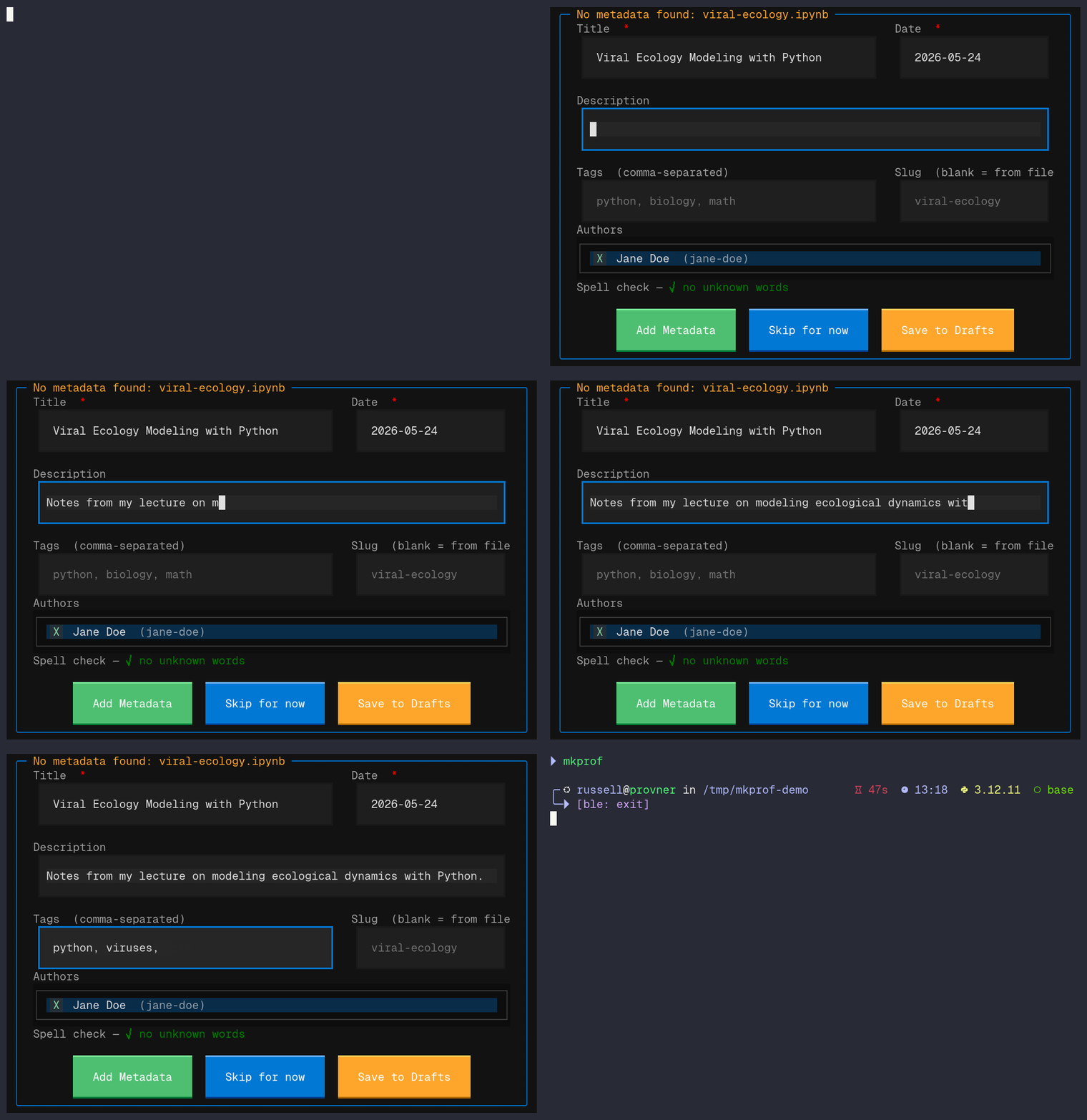
- Prompts for any missing YAML frontmatter through an interactive TUI (local development), with a pick-list for authors loaded from
authors.yml - Skips notebooks with missing metadata silently when running headless (CI)
Quick start
Install from PyPI:
Scaffold a new site:
Or add it to an existing site by running mkprof from the directory that
contains your mkdocs.yml.
Commands
| Command | Mode | Description |
|---|---|---|
mkprof |
TUI | Convert notebooks, then prompt to build or serve |
mkprof serve |
TUI | Convert notebooks and start mkdocs serve |
mkprof build |
TUI | Convert notebooks and run mkdocs build |
mkprof convert |
Headless | Convert notebooks only — no prompts, CI-safe |
mkprof init [DIR] |
— | Scaffold a new mkprof/mkdocs-material site |
The TUI commands (mkprof, serve, build) launch an interactive
Textual interface that prompts for any
missing blog frontmatter and lets you move incomplete posts to a drafts
folder before building.
mkprof convert is non-interactive: it logs to stdout, skips any
notebook missing metadata (with a warning), and exits non-zero on
conversion errors. Use it in CI pipelines:
Configuration
mkprof reads its configuration from your existing mkdocs.yml.
Blog post and drafts directories are inferred from the blog plugin settings.
Override them with an extra.mkprof section:
extra:
  mkprof:
    posts_dir: docs/blog/posts   # default: derived from blog plugin
    drafts_dir: drafts           # default: drafts/ at project root
    default_author: your-slug    # default: inferred if authors.yml has one entry
Philosophy
mkprof init generates a site that behaves more like a traditional blog than
a documentation hub. Posts are listed directly in the sidebar for easy
browsing; the home page shows recent activity rather than a static welcome
message; the whole thing is plain HTML with no JavaScript required for
reading.
These choices are deliberate and documented. See Design for the thinking behind them.
Blog
See the Blog for release notes and announcements.